Joe Gibbs Reserve, Inglewood, in 3D: watching native bush return
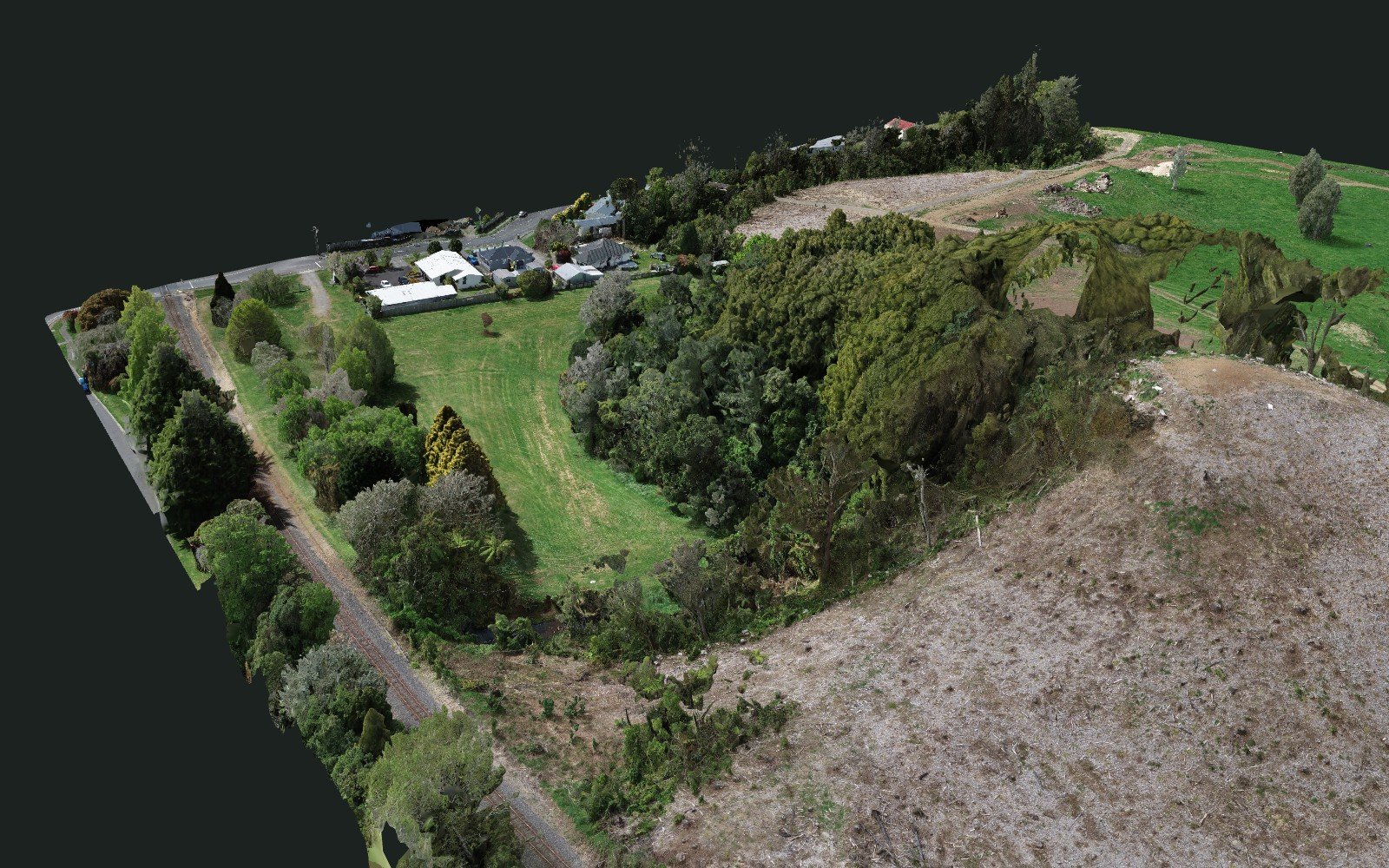
Joe Gibbs Reserve sits on the edge of Inglewood, Taranaki. In August 2025 New Plymouth District Council had two hectares of ageing pines removed from it, to be replaced by native bush through planting and natural regeneration. With the council's approval, Geomap NZ flew the reserve by drone on 7 October 2026, at 65 m above the ground for 1.9 cm per pixel, and built this full-detail 3D model as a baseline record to measure the regeneration against. Choose a measuring tool and click on the model.
Map system · NZGD2000 / NZTM2000, heights NZVD2016
Explore and measure it
Choose a tool, then click points on the model. Undo removes the last point, Cancel drops the measurement in progress, and Clear removes every measurement. Each finished measurement is added to the list under the model. The base map menu puts the model on a map of the area; with a map on, the model is set down on the flat map, and positions and heights stay the real ones.
Depending on your internet connection, you may have to wait a few seconds for the texture to sharpen as you move around. The model streams in small pieces, so the part you are looking at loads first; the readout under the model says when detail is still loading.
Street map © OpenStreetMap contributors. Aerial imagery sourced from LINZ, CC BY 4.0.
A closer look
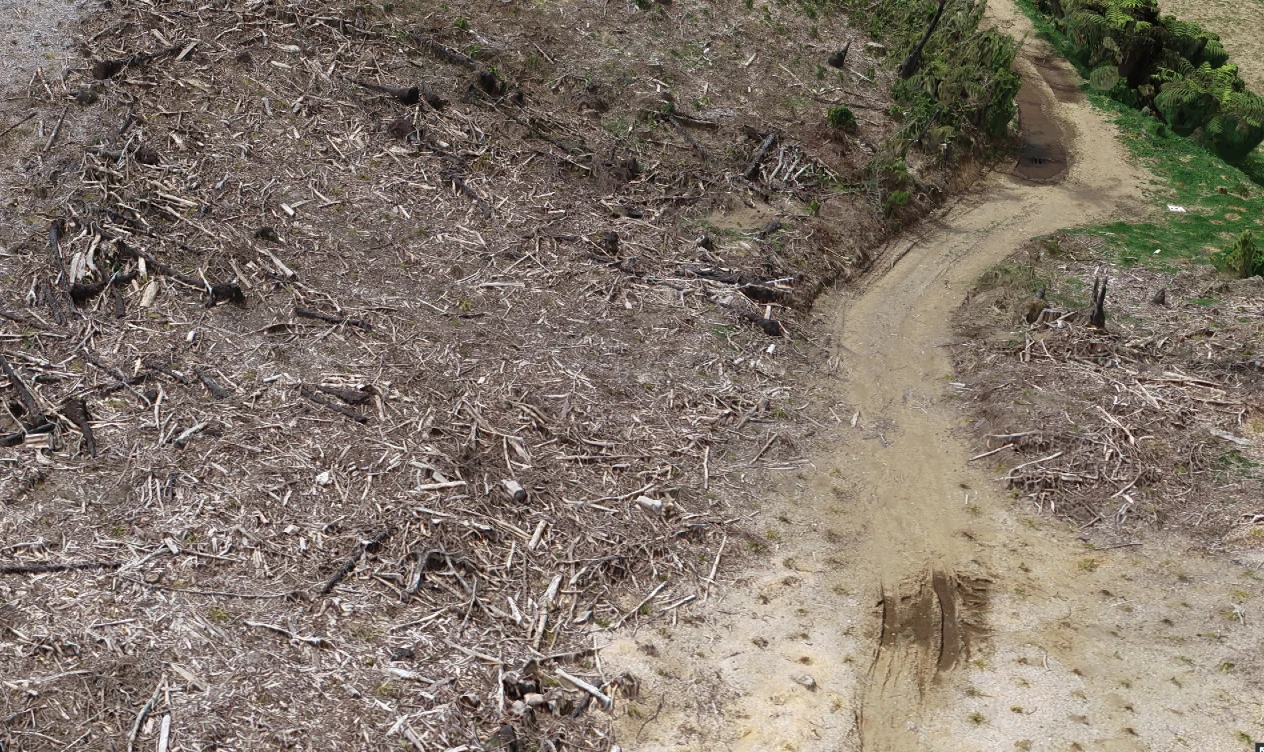
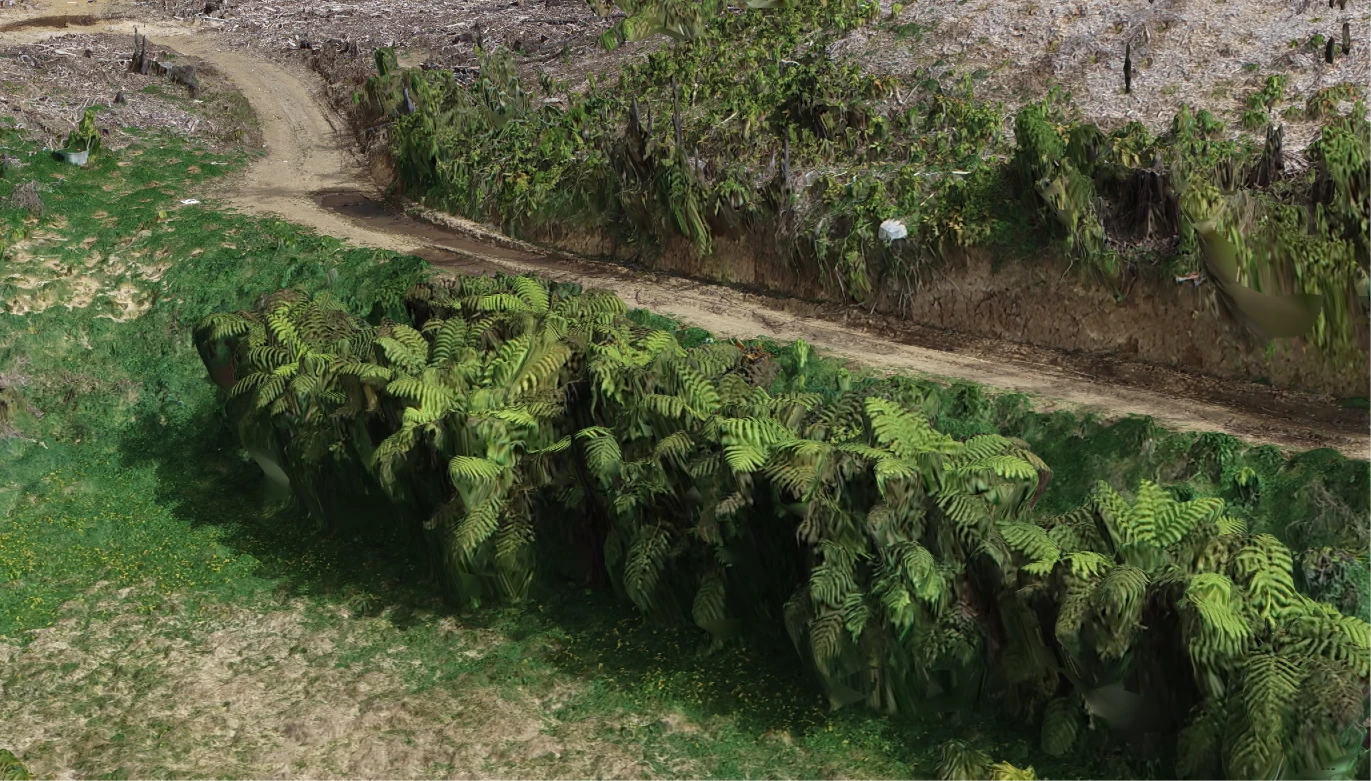
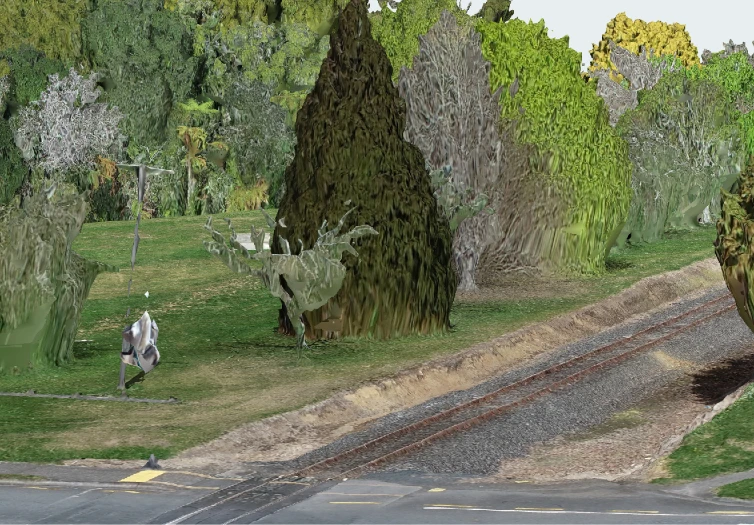
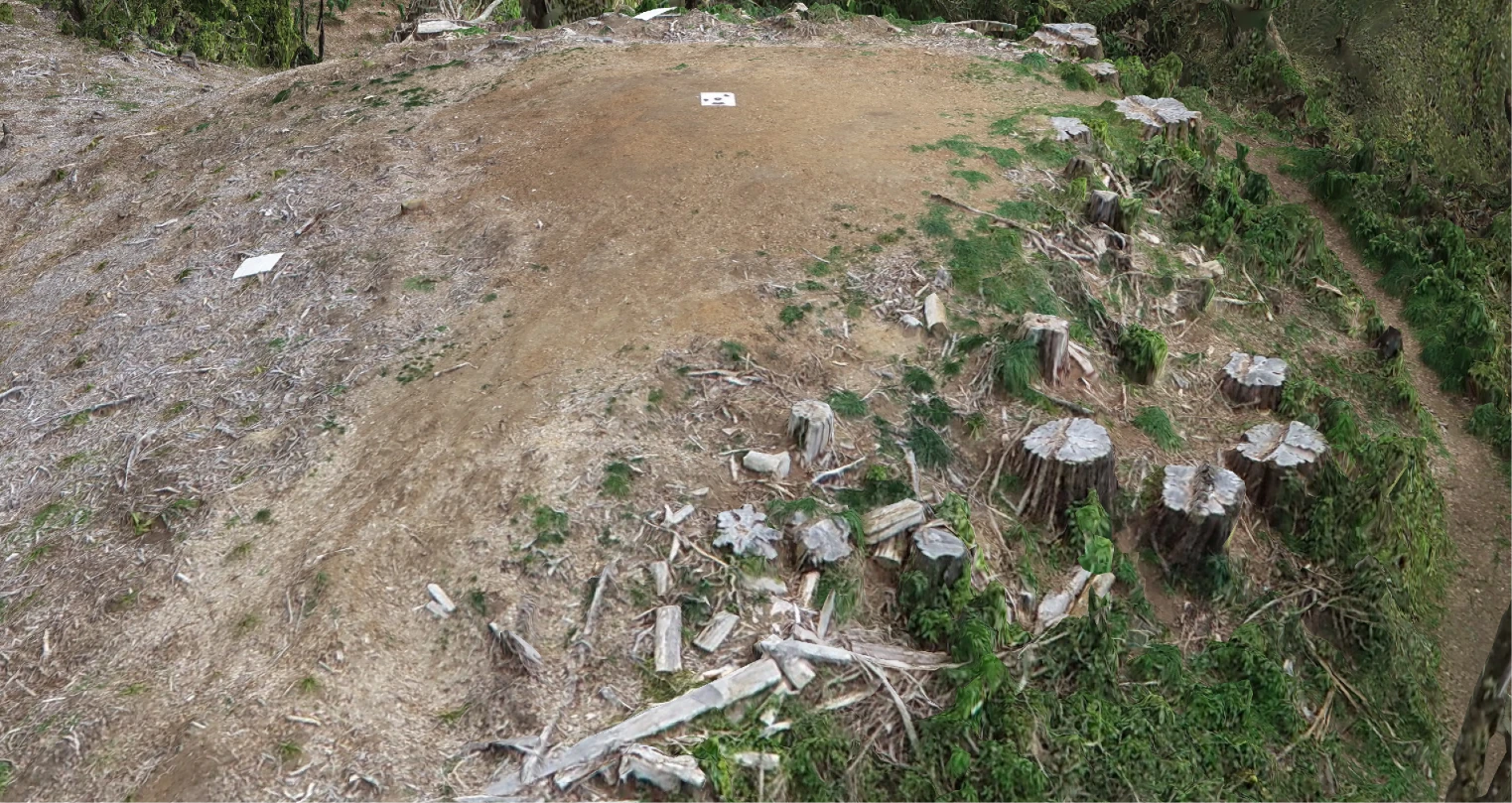
Four views from the model, at the full detail of a flight 65 m above the ground.
The restoration project
Joe Gibbs Reserve is part of New Plymouth District Council's Planting Our Place programme, which aims to add at least 34 hectares of native forest across the district's towns. The reserve's stand of old pines was felled from late August 2025. Nothing was trucked away: the limbs were chipped on site to condition the soil for planting, and the logs were left to dry on the reserve, some to be chipped for calf bedding and the rest for a community firewood fundraiser. The council is planting suitable native species and, because native forest borders the cleared ground, letting as much as possible regenerate on its own, with weed control while the new plants get established. The first public planting day was held on 22 August 2026.
The land has a longer story. The pine block sits on land a local farmer gifted to the council in 2018, next to six hectares the council bought in 2022 to restore native forest and wetland. Part of the site is set aside for a conservation centre planned with Pukerangiora hapū and the East Taranaki Environment Collective.
Sources: New Plymouth District Council, Clearing the way for return of native plants (26 August 2025) and Get your hands dirty for reserve's planting day (18 August 2026).
Measuring the change, not just picturing it
We flew the reserve on 7 October 2026, a year after the pines came out and just after the first planting day, as a baseline. Fly it again from the same ground control in a year or two and the surveys line up to within a few centimetres, so the change can be measured rather than guessed: how much the new plants have grown, how much bare ground is now covered, and where the bush is struggling or the weeds are winning.
The limits are worth stating: seedlings below about 30 cm, and anything under an existing canopy, are hard to see from above, and heights inside trees are less certain than on hard ground (see the next section). Drone surveys work best alongside a few marked plots checked on foot.
Why some of the trees look like they are floating
Look closely and you will notice a few patches in the trees where the model has not built quite right: holes, or pieces of canopy with nothing under them. This is normal for vegetation, and here is why.
A drone model is built by finding the same small details in many overlapping photos and working out where in space each one must be. A roof, a wall, a silo, a road or bare ground looks the same in every photo it appears in, so those surfaces come out sharp and solid, and you can measure them with confidence.
Leaves and thin branches do not hold still. Between one photo and the next the wind has moved them, so a detail seen in one photo is somewhere else, or hidden, in the next. The matching breaks down inside the canopy: the software cannot find the same leaf in the same place in every photo, and where it is that uncertain it leaves a hole rather than guess. It keeps the parts of a tree it could pin down and leaves holes where it could not, so trees come out as broken shells, and pieces of canopy can hang in the air with nothing drawn under them. The ground beneath a tree, which the camera never sees clearly, is filled in from what is around it.
That is a property of photographs and moving leaves, not a fault in this particular model, and it is why hard structures survive the process so much better than vegetation. Tree heights and canopy extent are still useful here; the exact shape of an individual tree is not something this kind of model can give.
We are working on this. Geomap NZ is prototyping a robotic SLAM LiDAR scanner with RTK positioning, which works from the ground, under and through the canopy, to fill in the places a drone camera cannot see.
How to measure
What the model can and cannot tell you
The model was built from the drone photos of one survey flight at 65 m above the ground, processed at full survey resolution; it is not simplified for the web. It covers about 13 hectares of the reserve and the land around it, with the ground running from 191 m to 240 m above sea level. The pale bare ground is where the pines stood; the darker bush along the gully and the western edge is the native forest that borders the site.
The centimetres shown in a measurement are the display resolution, not a guarantee of accuracy. A measurement is only as good as the two points you click, so zoom in and click on a clear edge, and keep to hard surfaces: a point clicked on a tree lands on whatever the model made of that tree.
Positions are in New Zealand Transverse Mercator 2000. Heights are in NZVD2016, New Zealand's vertical datum, so a height here is a height above sea level rather than above the GPS ellipsoid (which sits about 22.5 m lower at this site). Height differences between two points do not depend on that choice.
The base maps are flat: they carry no terrain, so the model is set down on the map rather than hovering at its true height above it. Its position on the map is right; the join at the edges of a hillside is not, and the map's own photo was taken on another day. Choose None to see the model on its own.
Need a drone survey of your place?
Tell us about your land and we'll take it from take-off to finished map.
This is not cadastral surveying. Geomap NZ does not do boundary or cadastral work — that's a licensed cadastral surveyor's job.